> ## Documentation Index
> Fetch the complete documentation index at: https://docs.ravenna.ai/llms.txt
> Use this file to discover all available pages before exploring further.
# Notion
> Ready-to-use Notion handbook templates to help your team understand how to submit and track requests through Ravenna's Slack-based service desk.
Use these Notion templates to create user handbooks for your team. Copy the templates into your workspace and adapt them to match your team's specific needs and processes.
## Template options
Choose the template that best fits your team's style and communication preferences.
Clean, straightforward template with essential content.
Engaging template with personality.
## How to use these templates
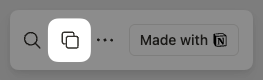
1. **Duplicate the template** - Click "Duplicate" in the top-right corner of the Notion page to copy it to your workspace
 2. **Customize the content** - Alter the text with your team's specific information, policies, and processes
3. **Adapt the structure** - Add, remove, or reorganize sections based on your team's needs
4. **Share with your team** - Set appropriate permissions and share the handbook with team members
2. **Customize the content** - Alter the text with your team's specific information, policies, and processes
3. **Adapt the structure** - Add, remove, or reorganize sections based on your team's needs
4. **Share with your team** - Set appropriate permissions and share the handbook with team members