

What you can do
Auto-assign tickets
Assign tickets to team members based on category, priority, or custom fields
Send notifications
Notify teams in Slack when high-priority tickets are created or status changes occur
Sync with external systems
Create or update issues in Jira, Linear, or other ticketing systems when tickets are created
Manage user access
Automate Okta user provisioning, group assignments, and password resets
Route incidents
Trigger PagerDuty or Incident.io workflows when critical issues are detected
Validate on-call
Check on-call schedules and route tickets to the appropriate responder
Workflows vs agent rules
Workflows and both automate work, but they fit different situations.Using both together
Workflows and agents both automate work, but they run independently. Agents handle conversations with users by answering questions, collecting information, categorizing requests, and creating or updating tickets. Workflows handle event-driven backend processing such as provisioning access, creating issues in external systems, or running multi-step approval flows.Agents cannot trigger workflows directly. Instead, connect the two through ticket state: have the agent create or update a ticket (set a category, apply tags, submit a form, or change status), and configure a workflow that fires on that ticket event.You can build workflows manually with the visual builder or use to generate them from a natural language description. Start with simple workflows manually and use Copilot for more complex automation.
How workflows work
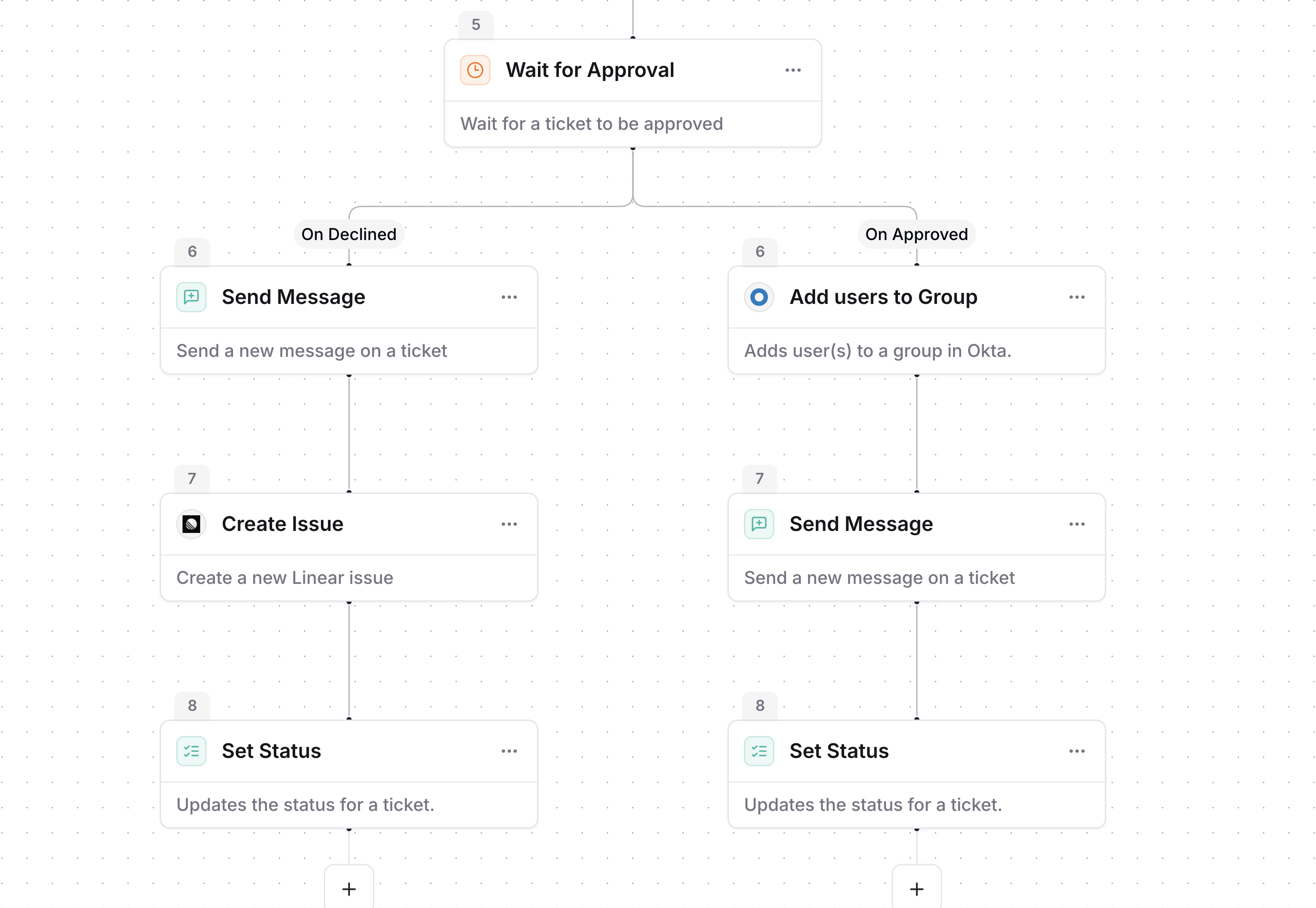
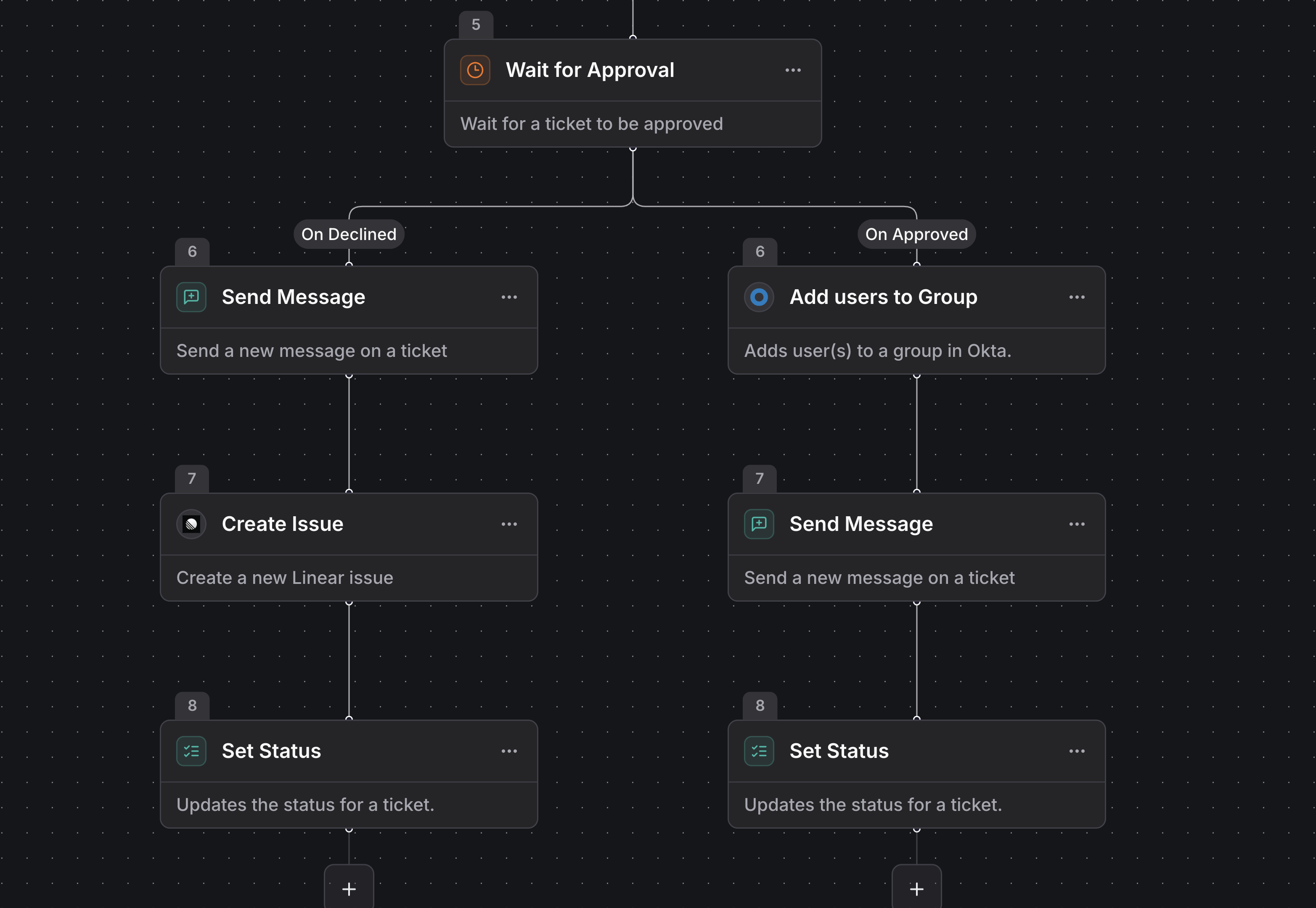
Every workflow has a trigger that starts the automation and one or more actions that perform tasks. When the trigger condition is met, the workflow executes its connected actions in sequence, in parallel, or through that rejoin into a single path.Triggers
Triggers listen for events like ticket creation, status changes, or Slack reactions. Add filters to ensure workflows only activate for relevant events.Available triggers include ticket created, ticket assigned, form submitted, category assigned, status changed, tags changed, task completed, message sent, cron schedule, and third-party integration events.Actions
Actions perform tasks like creating tickets, sending Slack messages, or calling external APIs. Data flows between steps automatically, so information from the trigger is available in subsequent actions.Available actions include ticket management (create, update, assign, set status), messaging (Slack, email), integration actions (Jira, Linear, Okta, Google Workspace), AI steps (summarize, decision maker, custom prompt), and control flow (conditional, if/else, wait, goto).Microsoft Teams: a dedicated Send Microsoft Teams Message workflow action is not yet available. Ticket triggers (created, status changed, and so on) fire for tickets opened in Microsoft Teams just like Slack. See the Microsoft Teams integration overview.
Data flow
Information flows automatically between workflow steps. Reference data from triggers or previous actions using dynamic values in the workflow builder. Click a field input and select from available data sources. Values resolve when the workflow runs, and the builder highlights invalid references before publishing.See all available triggers and actions with configuration details
Common use cases
Auto-triage support tickets: Categorize and assign incoming tickets based on keywords, priority, or requester information. Route high-priority issues to senior engineers and standard requests to the general support queue.Sync tickets with Jira: Create Jira issues when tickets are created in specific channels or categories. Keep status synchronized between systems and notify requesters when issues are resolved.Automate user onboarding: Automate Okta account creation, group assignments, and access provisioning based on department or role information from HR tickets.Escalate critical issues: Escalate high-priority or SLA-breaching tickets by notifying management, creating PagerDuty incidents, or triggering on-call workflows.Getting started
1
Create a collection
Organize workflows by team or process using collections
2
Build your workflow
Add a trigger and connect actions using the visual builder
3
Test and publish
Test your workflow with manual triggers, then publish to make it active
4
Monitor execution
View detailed logs for every workflow run
Tips
- Start with one specific scenario. Build a linear workflow that handles a single case. Add branching and complexity after you confirm the basics work.
- Use Copilot for complex workflows. Describe what you want in plain language and Copilot builds the trigger, steps, and connections for you.
- Name steps clearly. Descriptive step names make workflows easier to understand when multiple team members work with them.
- Keep workflows focused. Create separate workflows for distinct processes rather than one workflow that handles everything.
- Test before publishing. Use manual triggers with realistic data. Check edge cases like missing fields or error conditions.
Learn more about building workflows, triggers and actions, and Copilot workflow building