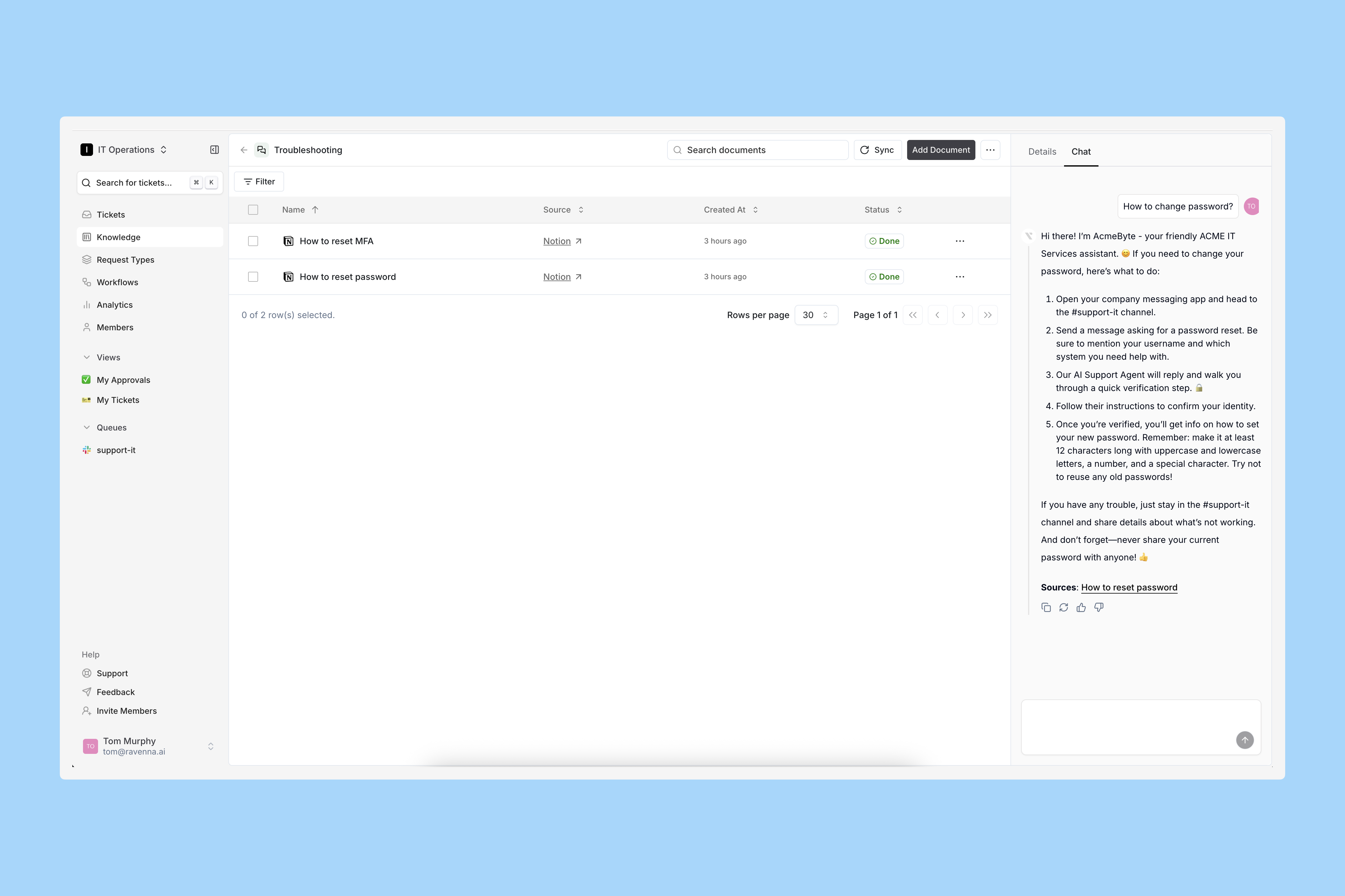
Ravenna lets you tailor your AI agent’s personality to match your company’s voice and values. This creates a consistent, on-brand experience for users. Test your AI in realistic scenarios to fine-tune responses before going live.
Interactive Walkthrough
Step-by-step
1
Go to AI Personality
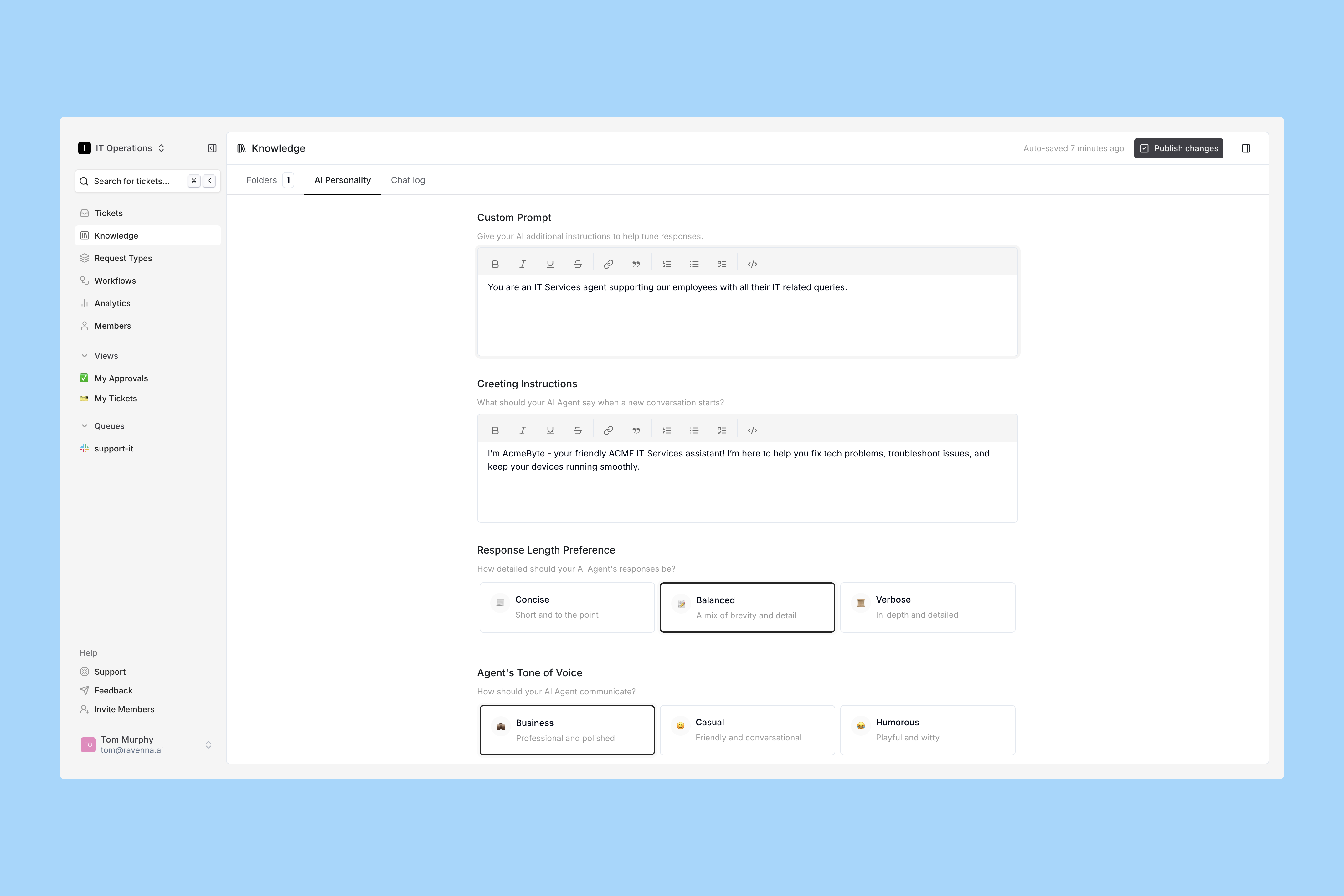
Click AI Personality in the top tabs on the Knowledge page.
2
Configure your AI
Use this page to define your AI’s voice, tone, and personality, so it communicates your brand effectively.
Custom Prompt
Set the core instructions that guide your AI agent’s behavior and communication style. This keeps responses consistent with your brand and goals.
Greeting Instructions
Define how your agent opens conversations — friendly, professional, or context-specific — to set the right tone.
Response Length Preference
Choose whether your agent’s answers are concise, moderately detailed, or comprehensive based on your audience’s needs.
Agent’s Tone of Voice
Shape your agent’s personality: professional, casual, humorous, or anything in between.
Use of Emojis
Decide if and how your agent uses emojis to keep communication professional or make it more approachable and expressive.
After configuring, click Publish Changes in the top right corner.
3
Test your changes
Return to the Folders tab and open the Knowledge Folder you created earlier. Open the Chat tab in the right sidebar.Ask your AI the same question you tested before.
Notice how the agent adapts its response based on your settings. Continue tweaking the prompts until you are satisfied with your AI’s personality.