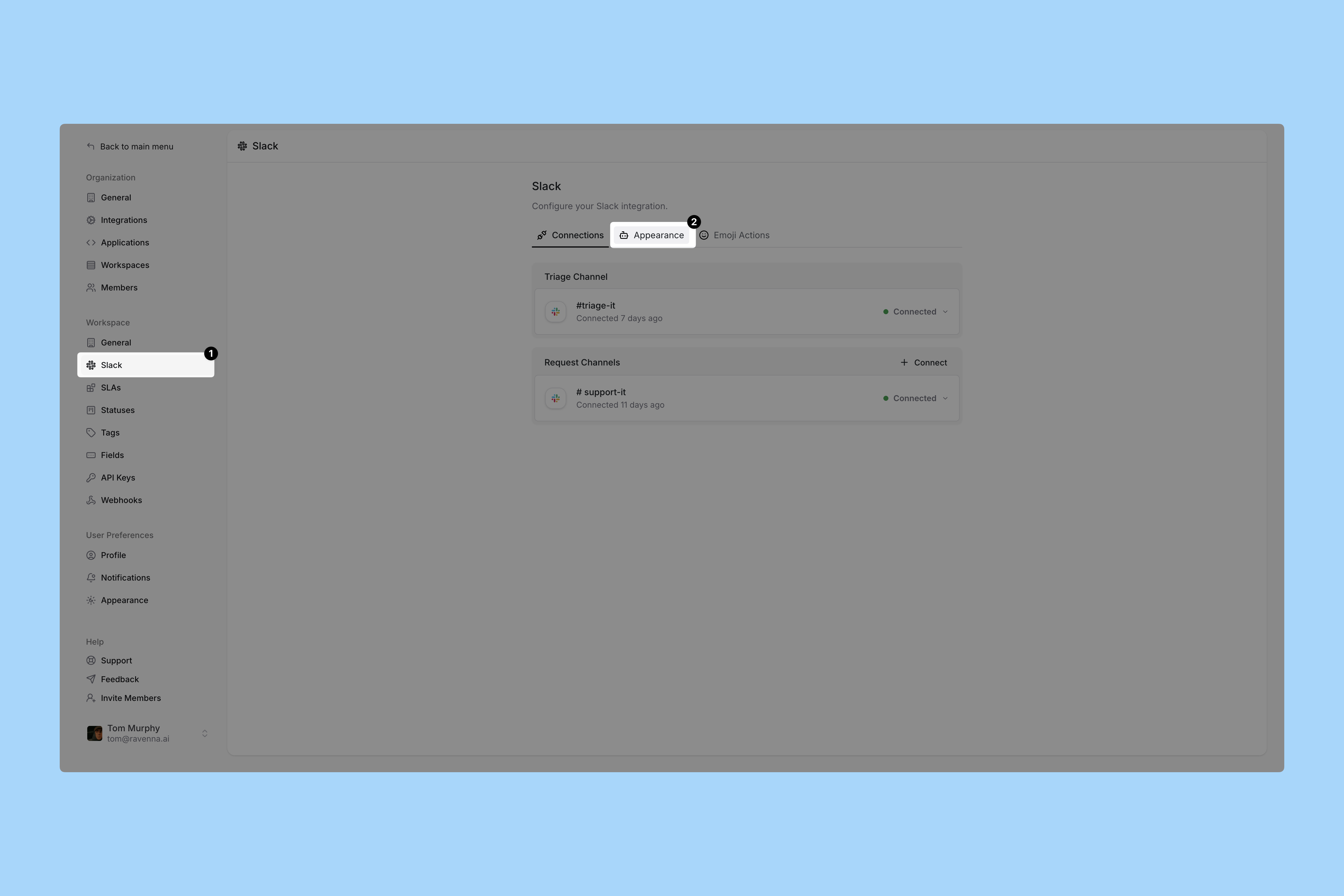
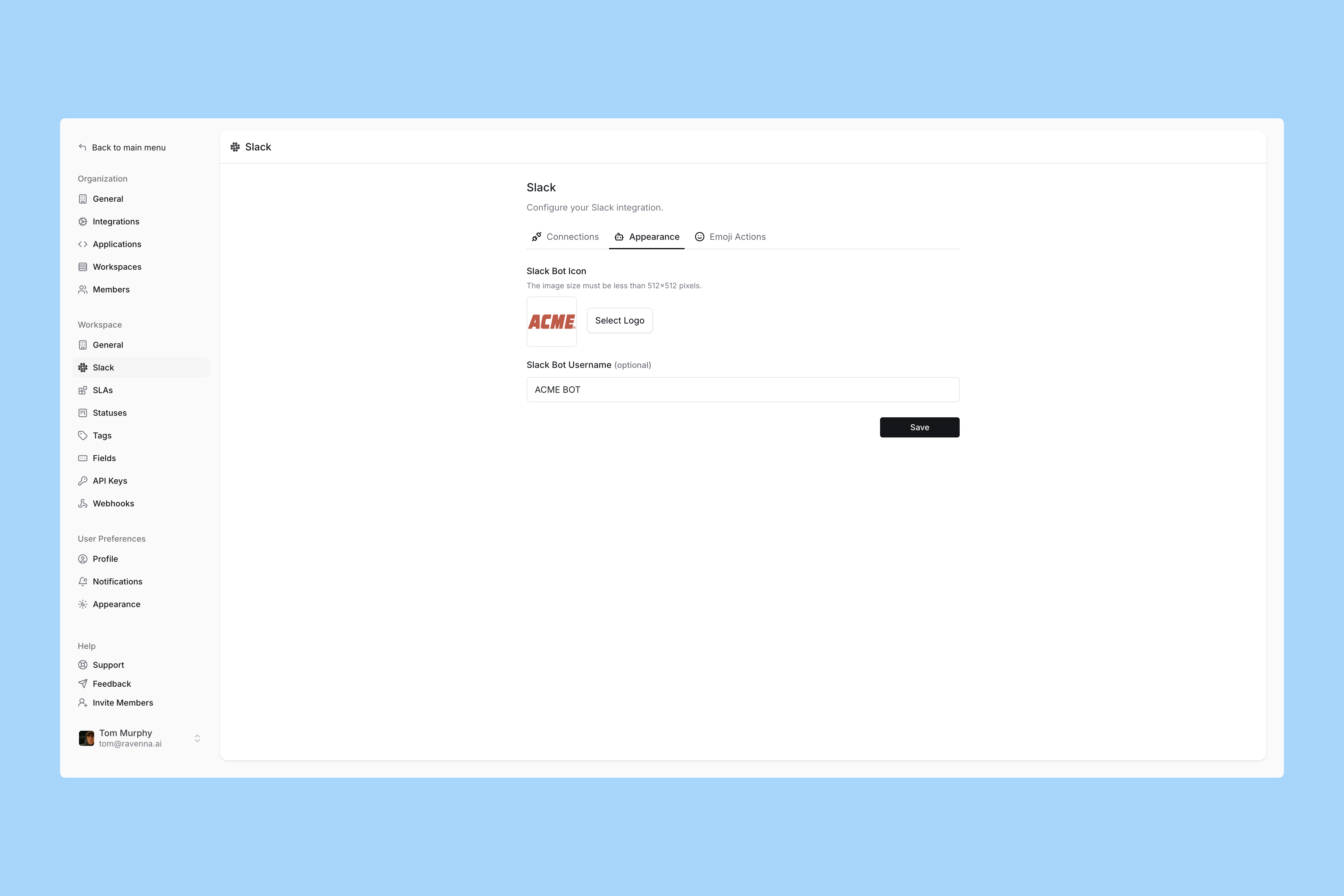
Ravenna allows you to customize your workspace bot’s name and icon. When users interact with your workspace, Ravenna will appear and respond using the name and icon you’ve configured.
Interactive Walkthrough
Step-by-step
1
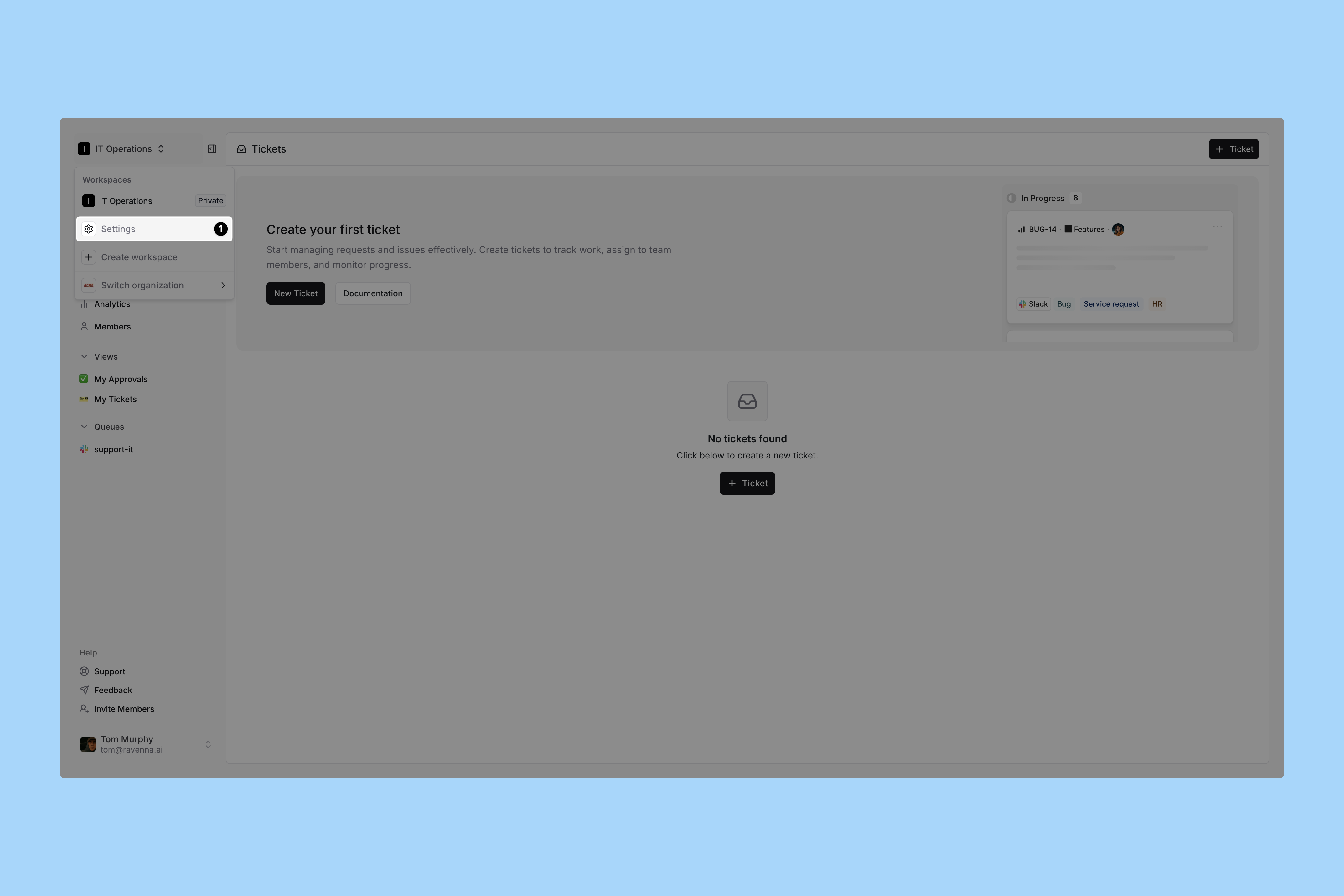
Go to your Workspace Settings
Click Settings from the dropdown menu under your Workspace name.
2
Go to Slack Appearance
Click Slack under the Workspace header in the left sidebar.
Click the Appearance tab.
3
Set your customizations
Upload a square image for you Slackbot icon.
Size Guidelines Minimum size: 512px x 512px Suggested size: 1024px x 1024px
Set a name for your Slackbot.
Remember: This bot identity will be used for your entire Workspace. So ensure the brand makes sense for all your request types / knowledge. It’s also a good idea to make it clear to your team that they’re interacting with a bot/AI.